Should You Keep Your Admin Dashboard and User Pages in the Same Application?
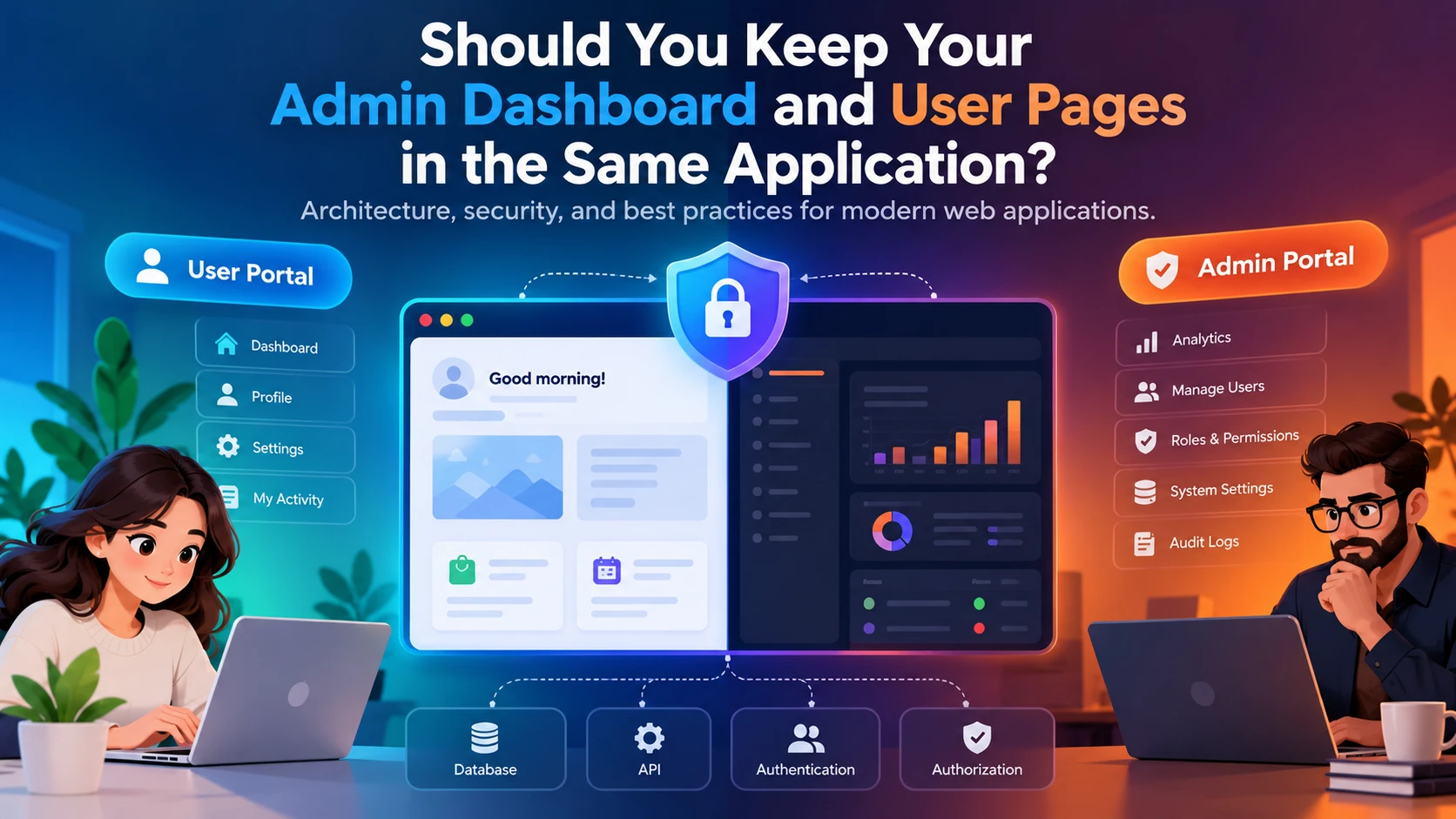
An architectural guide to separating admin and user interfaces, improving security, and making better software design decisions with AI coding assistants.
When building a web application, one architectural decision that often comes up is whether the admin dashboard and normal user-facing pages should live in the same application.
At first, keeping everything together seems convenient. You have one codebase, one deployment process, and shared components that make development easier.
But as the project grows, questions start to emerge.
Should the admin dashboard have its own application? Should it use a separate domain? Is it safe to let administrators and ordinary users access the same application? And how do you make the right decision without introducing unnecessary complexity?
The answer is not always to separate everything. The goal is to build an architecture that is secure, maintainable, and appropriate for the application’s actual requirements.
1. Understanding the difference between admin and user interfaces
Although both interfaces may belong to the same product, they serve different purposes.
The user interface is designed for customers or ordinary users. Depending on the application, it may include account management, personal dashboards, purchases, bookings, content creation, and profile settings.
The admin interface is designed for authorized personnel who manage the application. It may include user management, analytics, permissions, content moderation, system configuration, and audit logs.
These interfaces have different workflows, navigation structures, and access requirements.
However, different responsibilities do not automatically mean they need separate applications.
2. Three architectural approaches
There are three common ways to structure an application’s admin and user interfaces.
Option A: One application with separate routes
example.com/dashboard
example.com/admin
Both interfaces use the same frontend codebase and can share backend services, authentication, reusable components, and database infrastructure.
The admin and user experiences can still have different layouts, navigation, and permissions.
Advantages
- Simpler development and deployment.
- Less duplicated code.
- Easier reuse of components and services.
- Consistent authentication and account management.
- Lower operational overhead.
Disadvantages
- The frontend codebase can become difficult to maintain without clear boundaries.
- Admin-specific code may need route-based code splitting.
- Shared infrastructure means mistakes in common authentication or authorization logic can affect both interfaces.
This approach is often a good starting point for small and medium-sized applications.
Option B: Separate subdomains
app.example.com
admin.example.com
The admin and user interfaces can have separate frontend deployments while using shared backend services where appropriate.
Advantages
- Independent deployment and release schedules.
- Clearer separation between application interfaces.
- Greater flexibility for admin-specific security policies and operational controls.
- Easier independent scaling of the frontend applications.
Disadvantages
- More deployment and configuration work.
- Additional complexity around authentication, cookies, CORS, and cross-origin requests.
- Potential duplication of frontend components and dependencies.
A separate subdomain is useful when the administrative experience has distinct operational or security requirements. However, a different subdomain alone does not guarantee better security.
Option C: Completely separate applications
In this approach, the admin portal and user-facing application are independently developed and deployed.
This can make sense for large platforms with multiple engineering teams, strict isolation requirements, complex administrative workflows, or independent release cycles.
However, separate applications introduce additional maintenance and operational costs. They may duplicate functionality and require more coordination between teams.
For a smaller application, this architecture can be unnecessarily complicated.
3. Security is more important than the URL structure
One of the biggest misconceptions in application architecture is that hiding an admin dashboard or placing it on a separate URL makes it secure.
It does not.
A frontend route guard can redirect an ordinary user away from an administrative page, but the backend must still reject unauthorized requests.
Consider a user attempting to access an administrative API directly. Even if the admin page is hidden from the navigation menu, an insecure API could still expose sensitive functionality.
A properly designed application should implement the following controls:
- Authentication: Verify who is making the request.
- Authorization: Verify what that authenticated user is allowed to do.
- Role-based access control: Assign appropriate permissions to administrators, staff, and ordinary users.
- Backend enforcement: Protect every privileged API endpoint.
- Data isolation: Ensure users cannot access records belonging to other users without authorization.
- Audit logging: Record important administrative actions.
- Secure session management: Protect sessions, tokens, cookies, and logout behaviour.
The essential principle is simple: the backend must enforce permissions regardless of which frontend or URL is used to make a request.
4. A practical architecture for most web applications
For many projects, a single frontend codebase with separate layouts and protected routes provides a sensible balance between simplicity and maintainability.
A possible structure looks like this:
src/
├── app/
│   ├── router.tsx
│   └── providers.tsx
├── layouts/
│   ├── UserLayout.tsx
│   └── AdminLayout.tsx
├── pages/
│   ├── user/
│   │   ├── Dashboard.tsx
│   │   ├── Profile.tsx
│   │   └── Settings.tsx
│   └── admin/
│       ├── Dashboard.tsx
│       ├── ManageUsers.tsx
│       ├── ManageRoles.tsx
│       └── AuditLogs.tsx
├── components/
│   └── shared/
├── auth/
│   ├── AuthProvider.tsx
│   └── ProtectedRoute.tsx
├── services/
├── hooks/
└── types/
This structure creates a clear distinction between admin and user functionality while allowing both interfaces to reuse common components, services, and authentication infrastructure.
The precise folder structure will depend on the framework and existing codebase. The important principle is to establish clear boundaries between responsibilities.
5. Where AI coding assistants fit into the process
Tools such as Claude Code can help developers review an existing codebase, identify architectural weaknesses, inspect authentication flows, and propose improvements.
However, asking an AI assistant to redesign an application immediately can lead to unnecessary refactoring or recommendations that do not fit the project’s requirements.
A better approach is to use AI as an architectural reviewer before using it as an implementation tool.
Start by asking it to inspect the existing project and explain how the application currently works.
Then ask it to evaluate:
- Whether the admin and user interfaces are appropriately separated.
- Whether authentication and authorization are implemented correctly.
- Whether privileged backend endpoints are adequately protected.
- Whether shared components and services are well organized.
- Whether the application is ready to scale.
- Whether separating deployments would provide meaningful benefits.
Require evidence from the actual codebase, including file paths, API endpoints, and relevant implementation details.
Ask the assistant to distinguish confirmed vulnerabilities from potential weaknesses that require further investigation.
Finally, request a prioritized improvement plan rather than an immediate rewrite.
This approach makes AI-assisted development more deliberate and reduces the risk of introducing unnecessary complexity.
Architecture review prompt
Copy this into Claude Code, Cursor or another AI coding assistant, opened in your project. It follows the steps above and won't change any code until you approve.
Act as an architectural reviewer for my application. Do not change any code. Inspect the codebase first, then report.

Step 1: Explain how the application currently works:
- How the admin and user interfaces are structured (routes, layouts, separate apps or subdomains).
- How authentication works and where sessions or tokens are checked.
- How roles and permissions are defined and enforced.
- Which backend endpoints perform admin-only actions.

Step 2: Evaluate:
1. Whether the admin and user interfaces are appropriately separated.
2. Whether authentication and authorization are implemented correctly.
3. Whether every privileged backend endpoint checks the user's role on the server, not just in the frontend.
4. Whether a normal user could reach admin data or actions by calling the API directly or changing an ID in a URL.
5. Whether shared components and services are well organized.
6. Whether the application is ready to scale.
7. Whether separating deployments (for example admin.example.com) would bring real benefits for this project.

Rules:
- Back every point with evidence from the code: file paths, API endpoints and the relevant lines.
- Separate confirmed vulnerabilities from potential weaknesses that need more investigation.
- Don't suggest a rewrite or a new architecture unless there's a clear reason.

Finish with a prioritized improvement plan, starting with security fixes, and wait for my approval before making changes.
6. Questions to ask before making the decision
Before choosing an architecture, answer these questions:
About the project
- How complex is the application?
- How many user roles exist?
- Will the admin interface have substantially different functionality?
- Are there plans for separate development teams or release schedules?
About security
- Are admin permissions enforced on the backend?
- Can ordinary users access administrative APIs?
- Is sensitive data properly isolated?
- Are administrative actions auditable?
About maintainability
- Can admin and user interfaces evolve independently?
- Are shared components clearly defined?
- Is the frontend becoming difficult to maintain?
- Would separate deployments solve a real problem?
About operations
- Does the project require independent deployments?
- Are there distinct security or compliance requirements?
- Is the team prepared to maintain multiple applications?
The answers should determine the architecture, rather than choosing a structure simply because it appears more sophisticated.
7. A decision framework
As a general starting point:
| Requirement | Suggested approach |
|---|---|
| Small or medium-sized application | One codebase with separate routes |
| Shared functionality and a small team | One codebase with clear module boundaries |
| Independent frontend release cycles | Separate frontend deployments |
| Distinct administrative security policies | Consider stronger isolation and separate deployment |
| Large teams and complex operational requirements | Consider separate applications |
| Need for secure administrative access | Enforce backend authorization regardless of architecture |
These are starting points, not absolute rules. A well-structured monolithic application can be more maintainable and secure than poorly designed separate applications.
Conclusion
The decision to keep admin and user pages together should be based on the application’s requirements, security boundaries, and long-term maintenance needs.
For many projects, a single application with separate routes, distinct layouts, shared services, and properly enforced backend permissions is sufficient.
As the application grows, separate deployments or subdomains may become appropriate. Completely separate applications should be introduced when there is a clear technical or operational reason to justify their additional complexity.
The most important lesson is to evaluate the existing architecture before changing it.
Build for the requirements you have, preserve what already works, and introduce complexity only when it solves a real problem.