20 Things to Check Before Launching Your App (So You Don't Get Sued)
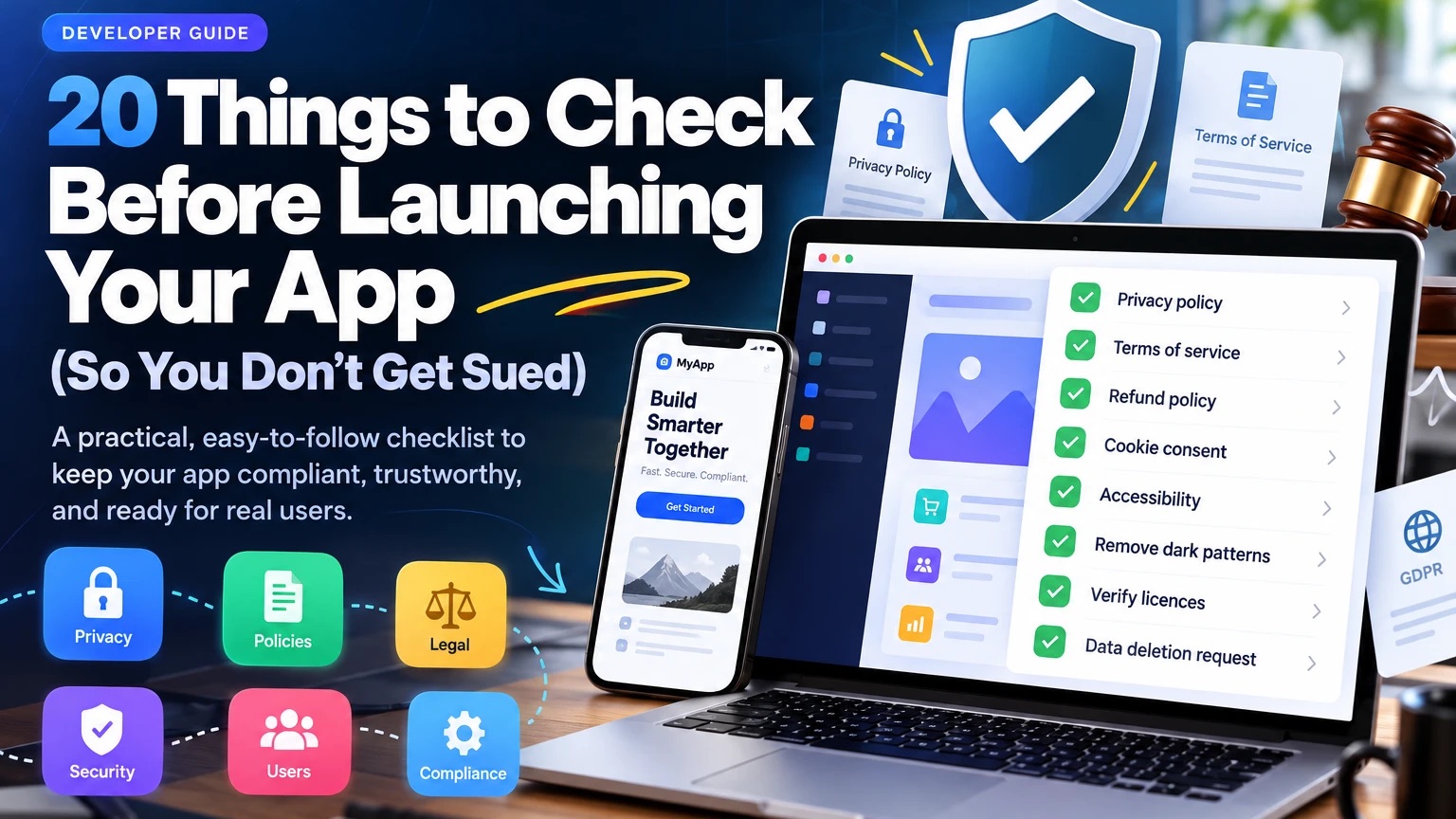
A practical checklist to keep your app compliant, trustworthy and ready for real users, plus a prompt that has your AI coding assistant run the audit for you.
Building an app has never been easier. With Claude Code, Cursor, ChatGPT and other AI coding tools, you can go from an idea to a working product faster than ever.
But getting your app to work is not the same as making it ready for real users.
Your app might have a beautiful interface, a solid backend, secure logins and a smooth checkout, and still land you in trouble because you forgot a privacy policy, hid a service fee until checkout, collected data you didn't need or used an image you didn't have the rights to.
These are the details that get skipped when you're focused on shipping features. I recently saw a short video listing 20 of them, and it's a good list. Here's each one explained, with what to actually check and the laws that commonly apply in Canada, Nigeria, the US and the EU. For the technical side (speed, security, SEO), see my pre-launch website checklist.
This isn't legal advice. I'm a developer, not a lawyer. Laws differ by country, province and state, and they change. Use this list to find the gaps, then get a qualified professional to review anything that depends on your jurisdiction or business model.
Privacy and data
1. Add a privacy policy
If your app collects any personal information (even just an email address), you need a privacy policy. Privacy laws such as Canada's PIPEDA (and Quebec's Law 25), Nigeria's Data Protection Act 2023 (NDPA), the EU's GDPR and California's CCPA/CPRA all expect you to tell people how you handle their data. The Apple App Store and Google Play also require a privacy policy link for every app.
Your privacy policy should explain:
- what information you collect and why;
- how you store and protect it, and for how long;
- which third parties receive it (payment, analytics, email providers);
- how users can access, correct or delete their data, and who to contact.
A ticketing platform, for example, may collect names, emails, payment details and which events someone attended.
Don't publish a generic template. A policy that doesn't match what your app actually does can cause more trouble than having none.
Ask your AI assistant: "List every piece of personal data this app collects, where it's stored and which third-party services receive it. Then draft a privacy policy based on those actual data flows, and mark anything a lawyer should review."
2. Stop collecting data you don't need
The simplest way to reduce privacy risk is to collect less.
If your app only needs an email address to create an account, why ask for a home address, date of birth and phone number? Every extra field is data you must protect, control access to, keep for a defined time and delete on request. Most privacy laws build this in as data minimisation: collect only what you need for a stated purpose.
Also check what ends up in places you don't think about: logs, analytics tools, error trackers and backups.
3. Check every form's consent
Review your sign-up, checkout, contact and newsletter forms:
- Is every field necessary?
- Does the user understand what they're agreeing to?
- Is marketing consent a separate, unticked checkbox?
- Is the privacy policy linked where the data is collected?
- Are optional things genuinely optional?
Creating an account should not quietly subscribe someone to promotional emails. In Canada, CASL requires express (or a valid form of implied) consent before sending commercial emails, and pre-ticked boxes don't count as express consent.
4. Audit your third-party SDKs and APIs
Your app probably relies on services you didn't build: payments, analytics, authentication, email and SMS, maps, chat widgets, ad pixels.
For each one, check:
- what data it collects and where it sends it;
- what permissions it requests (especially in mobile apps);
- whether its terms allow how you're using it;
- whether you still use it at all.
Remove unused SDKs and permissions. Using a third-party service doesn't hand them responsibility for your app's data practices: if their SDK collects data through your app, you're expected to disclose it, including in Apple's privacy labels and Google Play's Data safety form.
5. Build a data deletion process
Users should be able to ask for their data to be deleted, and most modern privacy laws give them that right. Mobile stores enforce it too: Apple and Google both require apps that let users create an account to also let them delete it, and Google Play also requires a web link for deletion requests.
A "Delete my account" button is only the start. Decide:
- which records get deleted, and which you must keep (for example, transaction records for tax purposes);
- how deletion reaches third-party services (email lists, analytics, payment customer records);
- what happens to backups and logs;
- how you confirm to the user that it's done.
Deleting an account typically means removing the profile, revoking active sessions and unsubscribing the user from emails, while keeping the invoices the law requires you to keep.
6. Handle children's data properly
If your app is aimed at children, or children are likely to use it, stricter rules apply:
- US: COPPA requires verifiable parental consent before collecting personal data from children under 13.
- EU: GDPR sets the age for consenting on your own at between 13 and 16, depending on the country.
- Canada: the Privacy Commissioner's position is that children under 13 generally can't give meaningful consent themselves.
These rules can also limit targeted advertising and profiling. An "I am 18 or older" checkbox doesn't make you compliant if your app clearly appeals to kids. Look at your real audience and design for it.
Policies and pricing
9. Write clear terms of service
Your terms set the rules for using your app. Depending on the business, they cover:
- user responsibilities and what's prohibited;
- account suspension and termination;
- payments, subscriptions and cancellations;
- who owns uploaded content;
- liability limits and how disputes are handled.
If users can sell tickets, list properties, upload content or deal with each other, your terms need to cover that.
Terms of service are not a magic shield. Clauses that conflict with consumer protection law can be unenforceable, especially against consumers.
10. Create a refund and cancellation policy
People should know before they pay:
- which purchases can be refunded, and the deadlines and conditions;
- how to cancel a subscription;
- how and when refunds are paid;
- any exceptions the law requires.
If someone buys a ticket for an event that gets cancelled and there's no clear refund process, you'll end up with angry customers, chargebacks and possible complaints to consumer protection agencies. Set the rules before someone pays, not after something goes wrong.
12. Remove dark patterns
A dark pattern is a design that pushes people into choices they wouldn't otherwise make. Regulators in Canada, the US and the EU actively look for them. Common examples:
- cancelling is far harder than signing up;
- fake countdown timers or "only 2 left!" when it isn't true;
- paid extras pre-selected at checkout;
- a "Reject" button that's hidden or greyed out;
- guilt-trip wording ("No thanks, I don't like saving money").
They might lift conversions briefly, but they destroy trust and create legal risk. Let users understand the offer, compare their options and leave or cancel easily.
Honest marketing
13. Remove fake reviews and testimonials
Never publish invented testimonials, fake ratings or AI-generated "customer" quotes. Since October 2024, the US FTC's rule on fake reviews allows penalties for fake or AI-generated reviews and for buying them, and Canada's Competition Bureau treats fake reviews as deceptive marketing.
If you use testimonials:
- make sure they're real and you have permission to use them;
- disclose if the reviewer was paid or got something free;
- don't hide negative reviews to make your rating look better.
If users can post reviews on your platform, add moderation and clear rules against fraud.
14. Remove claims you can't back up
Does your site say "100% secure", "the best platform in Canada" or "guaranteed to save you money"? Advertising law expects you to be able to prove claims like that.
Check your homepage, pricing page, app store listing and onboarding for statements about:
- security and privacy;
- speed and uptime;
- savings or earnings;
- AI accuracy;
- environmental impact ("green", "carbon neutral");
- awards, certifications and customer numbers.
Replace "completely secure" with what you actually do: "Payments are processed by Stripe and data is encrypted in transit and at rest."
15. Show who runs the business
Users should be able to see who operates the app and how to reach you. Depending on where you operate and what you sell, you may need to show:
- your legal business name;
- a contact email or form;
- a business address or registration details (the EU requires these for online businesses, and Germany is particularly strict);
- tax or registration numbers;
- for marketplaces, who the actual seller is.
App stores also require a support contact. You don't need to publish your home address if the law doesn't require it. Use a business address or a mailbox service.
16. Add an unsubscribe link to marketing emails
Every marketing email should:
- clearly identify who sent it;
- include a working unsubscribe link;
- stop the emails promptly once someone unsubscribes.
The rules where your recipients are:
- Canada (CASL): the unsubscribe link must keep working for at least 60 days after the email is sent, and you must act on it within 10 business days.
- US (CAN-SPAM): you have 10 business days to honour an opt-out.
- EU: GDPR and the ePrivacy rules apply.
Transactional emails (receipts, password resets, booking confirmations) are treated differently from promotional ones. Just don't slip marketing into them.
Accessibility
Accessibility is also a legal issue. Accessibility lawsuits against websites are common in the US. The European Accessibility Act has applied to many apps and online stores selling to EU customers since June 2025, and Canadian laws like Ontario's AODA set web requirements. WCAG 2.2 level AA is the usual standard to aim for.
17. Add alt text to images
Screen readers read out alt text, so meaningful images need a short description of what they show or do:
- Product image: describe the product and what matters about it.
- Event poster: include the event name, date and venue if they aren't written elsewhere on the page.
- Icon button: say what it does ("Close", "Search"), not what it looks like.
- Decorative image: use empty alt text (
alt="") so screen readers skip it.
Don't stuff alt text with keywords for SEO.
18. Fix colour contrast
Text that looks fine on your screen can be unreadable for people with low vision, or for anyone in bright sunlight. WCAG 2.2 AA requires:
- 4.5:1 contrast for normal text;
- 3:1 for large text;
- 3:1 for buttons, form borders, icons and focus indicators.
Check buttons, links, form labels, error messages, placeholder text, badges and disabled states, in both light and dark mode if you have both. Browser DevTools and free tools like the WebAIM contrast checker will flag failures.
Licences
20. Check your font, image and software licences
Just because something is online doesn't mean you can use it commercially. Check the licences for:
- images, illustrations and icons;
- fonts (some free fonts are for personal use only);
- templates and UI kits;
- stock video and music;
- open-source packages, especially "copyleft" licences like GPL and AGPL, which can require you to share your own code.
Keep receipts and any required attribution. AI-generated assets don't automatically settle the question: check the tool's terms, and avoid prompting for recognisable logos, characters or artists' styles in commercial work.
Run this audit with AI
You don't have to check all of this by hand. An AI coding assistant can review your code, find the gaps, draft first versions of your policies and suggest fixes.
But AI can help you find compliance problems; it can't make your app legally compliant, and it can't see what's outside your code: your production settings, payment configuration, vendor contracts, email platform or how your business actually runs.
Copy the prompt below into Claude Code, Cursor or another AI coding assistant, opened in your project, and fill in the short "About my app" part.
Pre-launch legal audit prompt
Act as a senior privacy, accessibility and consumer-protection reviewer. Audit this codebase before launch. Do not change any code yet. Inspect the project first, then report.

About my app (fill this in):
- What it does:
- Web, iOS, Android, or all of them:
- Countries/regions my users are in:
- Do users create accounts? Pay? Get marketing emails? (yes/no for each)
- Could children under 18 use it? (yes/no/unsure)

Check these 20 items:
1. Privacy policy: exists, is linked where data is collected, and matches what the code actually collects and shares.
2. Data minimisation: fields or data collected without a clear need, including in logs and analytics.
3. Form consent: marketing consent is separate and unticked; privacy notice is shown at the point of collection.
4. Third-party SDKs and APIs: every service that receives user data, what it gets, and unused SDKs or permissions.
5. Data deletion: users can delete their account and data (in-app for mobile), including in third-party services.
6. Children's data: whether the app is likely to be used by children and what extra protections that needs.
7. Cookie policy: lists the cookies, local storage and trackers actually used.
8. Cookie consent: non-essential scripts do not load before consent; Reject is as easy as Accept; the choice is saved and changeable.
9. Terms of service: exist and cover payments, accounts, user content and disputes as relevant.
10. Refund and cancellation policy: exists and is shown before payment.
11. Pricing: mandatory fees are included in the price shown up front, with no surprise charges at checkout.
12. Dark patterns: hard-to-cancel flows, fake urgency or scarcity, pre-selected paid extras, hidden reject options.
13. Reviews and testimonials: hardcoded, placeholder or fabricated reviews or ratings.
14. Marketing claims: absolute or unprovable claims ("100% secure", "best", "guaranteed") in pages, metadata and app store text.
15. Business details: legal name and contact information are visible.
16. Marketing emails: sender identified, working unsubscribe link, opt-outs stop future emails.
17. Alt text: missing or unhelpful alt text; decorative images use alt="".
18. Colour contrast: text below 4.5:1 (3:1 for large text) and controls/icons below 3:1, in every theme.
19. Keyboard navigation: unreachable controls, missing focus styles, focus traps, clickable divs instead of buttons/links.
20. Licences: fonts, images, icons and dependencies with licences that may not allow commercial use (including GPL/AGPL).

For each item, report:
- Status: Pass / Needs work / Fail / Not applicable / Can't verify from the code
- Evidence: file paths, components, routes or config
- Risk: what could go wrong
- Fix: the smallest practical fix for this codebase
- How to verify the fix

Rules:
- Inspect before concluding. Don't mark something missing just because it isn't obvious, and don't mark it as passing without evidence.
- Separate code problems, missing documents and questions that need a lawyer.
- Never invent business details, reviews, certifications, licences or legal approvals.
- If you draft policy text, base it only on what the code shows and mark it "Draft: needs legal review".

Finish with:
1. A table of all 20 items with their status.
2. A prioritised fix list: privacy and security first, then pricing and consumer protection, then accessibility, then documents.
3. A list of things I must check outside the code (hosting, payment settings, email platform, vendor contracts).

Wait for my approval before making changes.
Then test the fixes yourself, check the live app (not just the code), and get legal advice on anything that depends on where you operate.
Final thoughts
AI has made it possible to build apps faster, but speed doesn't remove your responsibility to the people who use them.
A working app can still have weak privacy controls, misleading pricing, inaccessible screens or missing legal documents. The easiest time to fix those is before launch, as part of building, not as an emergency after a complaint.
Use AI to find the gaps. Use automated tools to test accessibility. Look at how your business actually works. And bring in a professional when you need legal interpretation.
Build the feature. Check the risks. Verify the fix. Then ship it.
The best app isn't just one that works. It's one people can trust.